
Free for Windows 10 and 11 · No accounts · No tracking
Fast, safe downloads on Windows
Rapidly is a free download manager that measures your connection live, never loses progress, and checks every file at the end. No account, no tracking.
- Resumes after a power cut
- Checks every file
- Never runs programs by itself
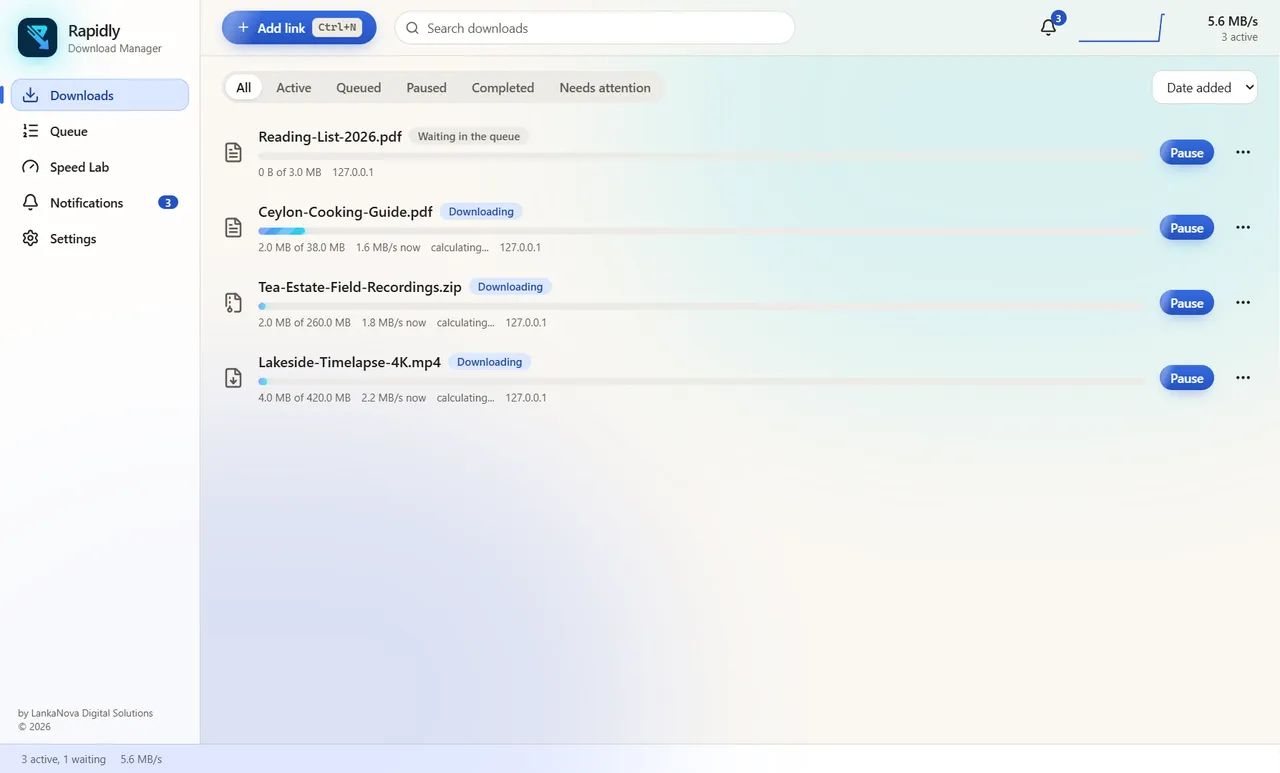
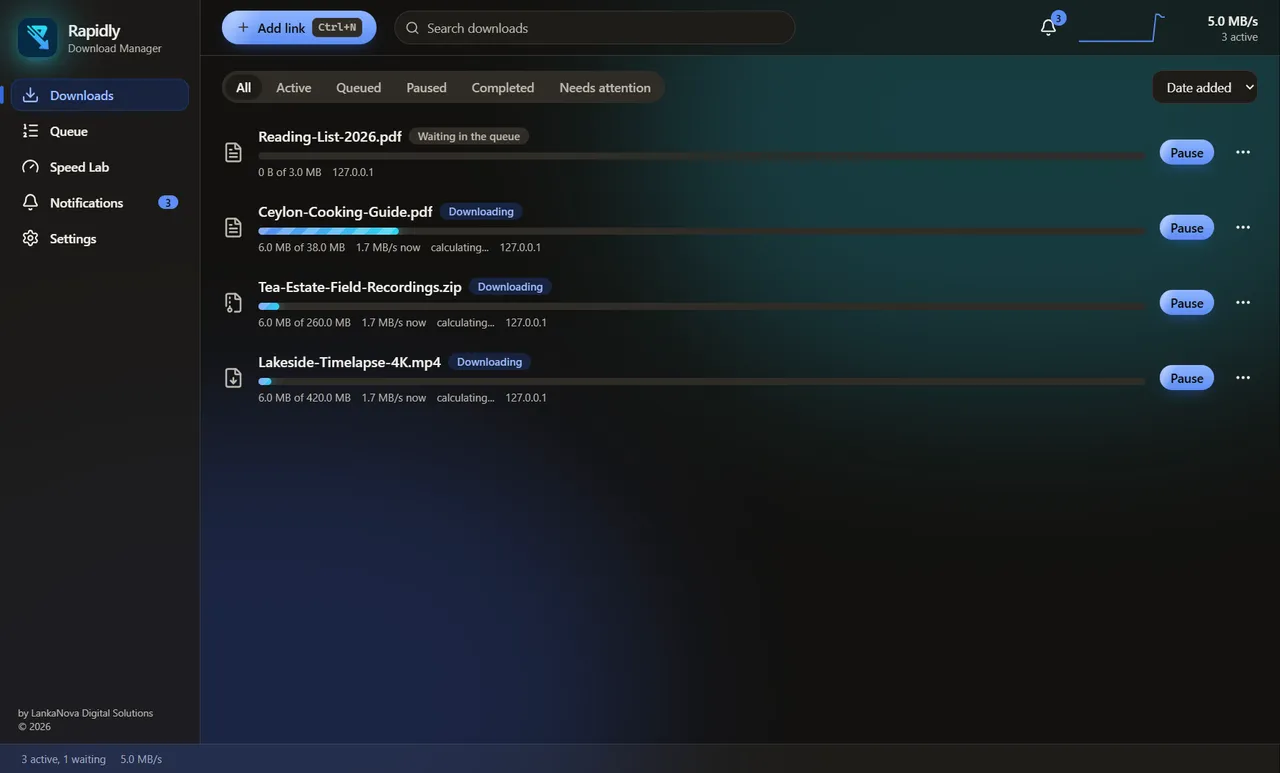
Our one promise
Uses the maximum throughput the connection and server allow, measures it live, and proves the gain against a single-connection baseline.
We never promise a number. Every connection and every server is different, so Rapidly measures instead of guessing.
Under the hood
How it stays fast
- Step 1
It asks the server first
Before downloading, Rapidly finds out whether the server lets it fetch a file in several pieces, and how big the file is.
- Step 2
It adds connections only while they help
It starts with a few and adds more only when the total speed really grows. If more connections stop helping, or make things worse, it backs off.
- Step 3
Nobody sits idle
When one connection finishes its part early, it takes over half of the biggest part that is still left, so the last piece does not wait on one slow connection.
- Step 4
Slow connections are replaced
A connection that stays far slower than the others is dropped and replaced by a new one, which often lands on a better route.
Speed Lab
Speed Lab: measure it on your own connection
What you see
Two results side by side, the difference, and which part limited the speed: your link, the server, the disk or the processor.
What we promise
Only that it tells the truth. If the adaptive method does not help on your connection, Speed Lab says so.
Screens
A look inside
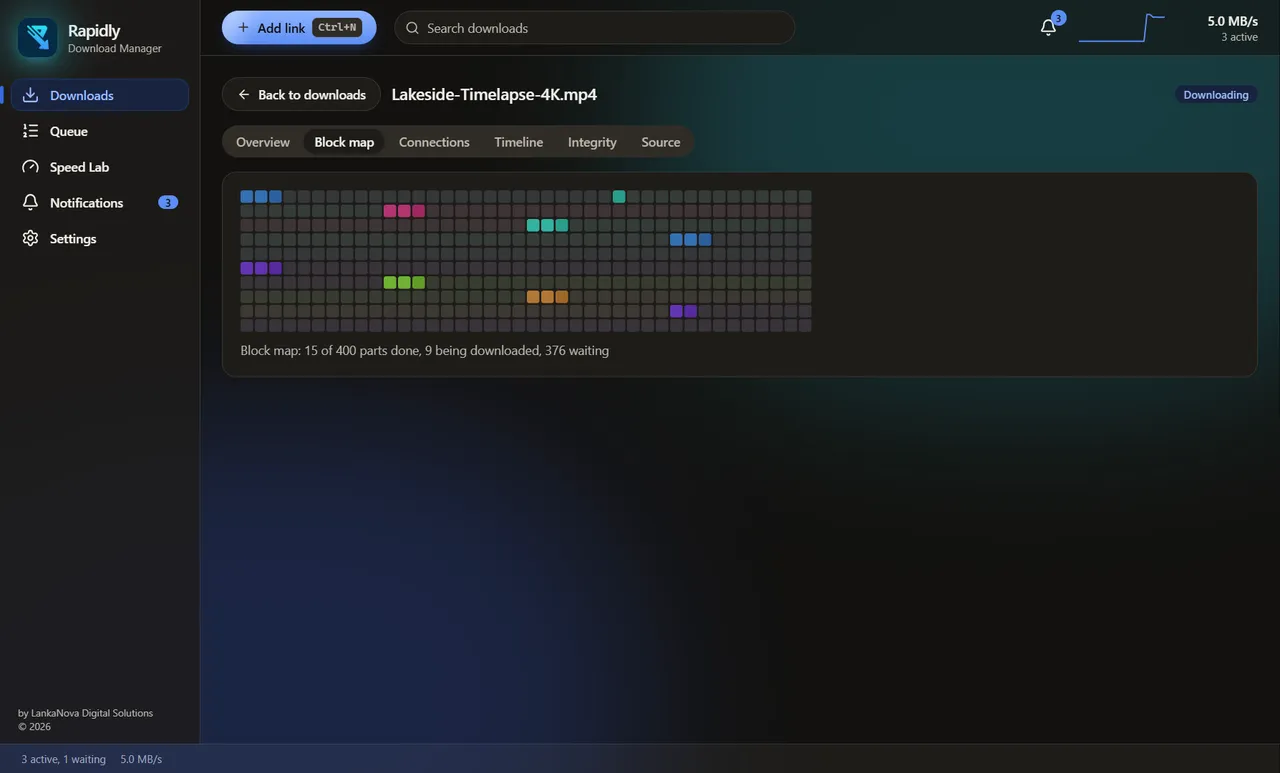
See every block
The block map shows which parts are done, which are downloading right now and which are waiting.
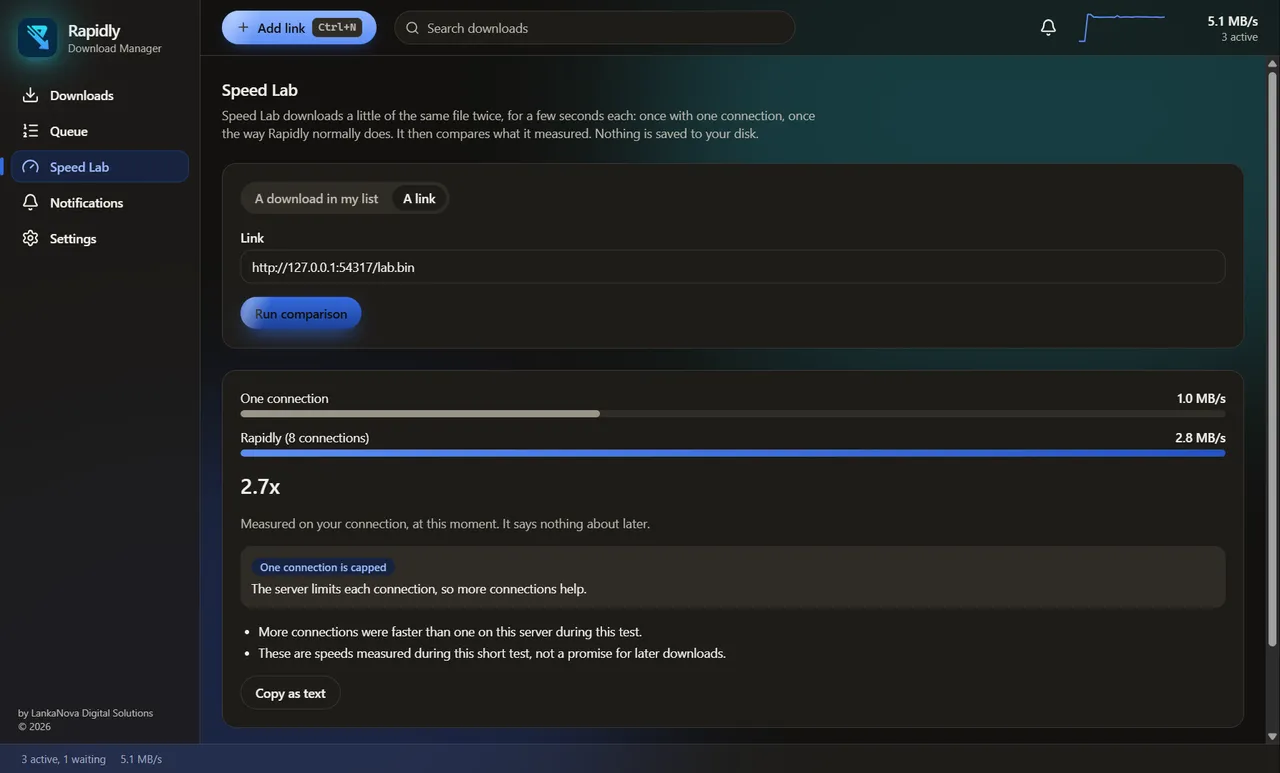
Measure, do not guess
Speed Lab compares one connection with Rapidly's method on your own connection and tells you what limited the speed.
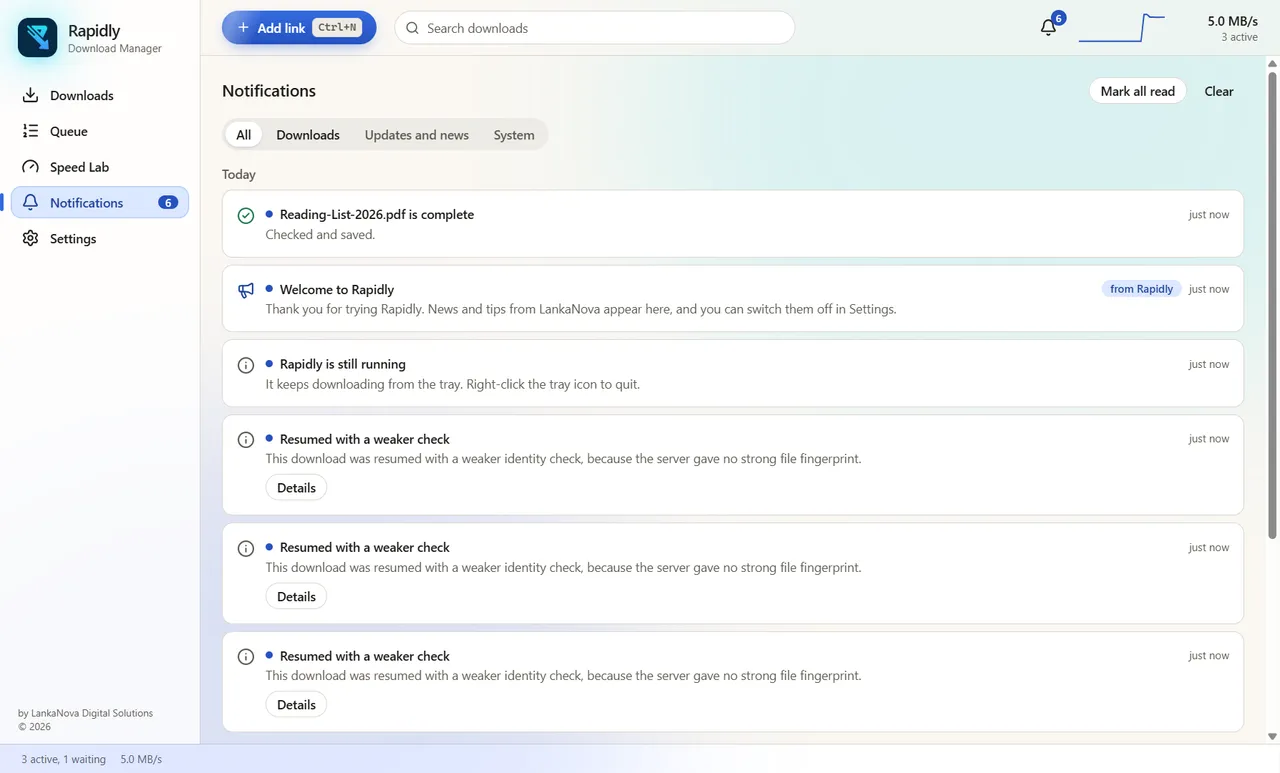
Everything in one place
Finished downloads, things that need you and news from us, with nothing noisy.
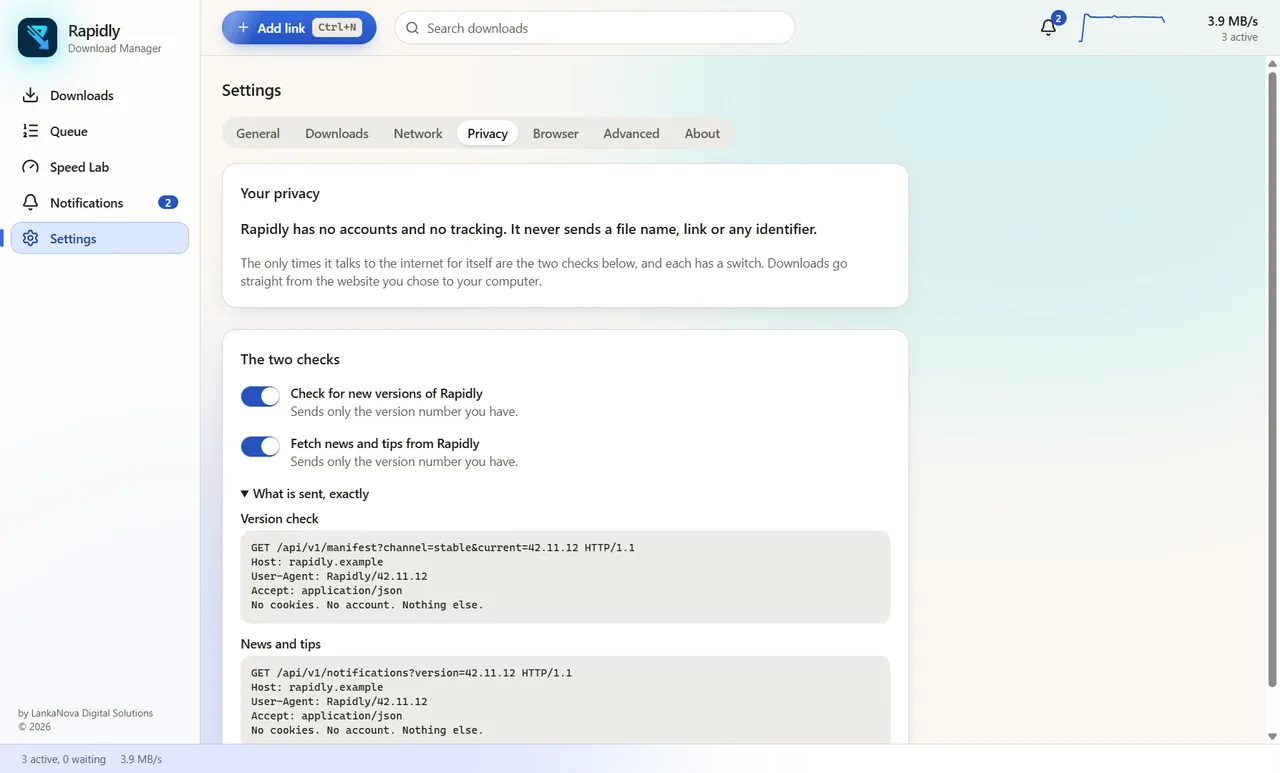
Privacy you can read
Two switches, and the exact requests Rapidly makes, shown word for word.
Reliability
Safe by design
Survives crashes and power cuts
Progress is recorded only after the data is safely on the disk. After a crash Rapidly continues from what is really there.
Checks the file at the end
When a download finishes, Rapidly verifies it. A file is called complete only when it is proven complete.
Resumes only if the file is the same
If the file on the server changed while you were away, Rapidly keeps your partial file aside instead of mixing two versions.
Everything included
Features
Resume anywhere
Pause, close, restart the PC. Downloads continue where they stopped.
Schedules and bandwidth windows
Download at night, or slow down during work hours.
Browser extension
Send links from Chrome or Edge to Rapidly with one click.
Clipboard capture
Offers to add a link you copied. Off until you switch it on.
Batch links
Paste a list of links and add them all at once.
Post-download rules
Move, extract or notify when a file finishes. Never runs a program without your say.
Integrity proofs
Export proof that a file is complete and unchanged.
Notification Center
Everything that happened, in one place, with quiet hours.
Tray and mini mode
A small window that stays out of the way.
Dark mode
Follows Windows, or choose your own.
No accounts. No tracking.
Rapidly is free. There is nothing to sign up for. It sends no file names, no links and no identifier about you. The only things it asks the internet for are the newest version and news from us, and you can switch both off.
- No account
- No tracking
- No ads
- No file names sent
Get it now
Download Rapidly
One small installer. No administrator rights, no account, nothing to sign.
Version 1.0.0-rc.1 (release candidate) - 121.0 MB - Windows 10 or 11, 64-bit
Check your download
After downloading, compare the SHA-512 below with your file. In PowerShell:
Get-FileHash -Algorithm SHA512 .\Rapidly-Download-Manager-Setup-1.0.0-rc.1.exe
SHA-512
e641e38373093b09de0649bd050b12f04fa587406fb478a5c36bc7475a3d82d9c833fcf694ef7178a05bff7d386d13542ac23c30b77798185b0e69a6a02336e5
Windows SmartScreen may show a warning the first time, because this installer is not code-signed yet. After you have checked the SHA-512 above, choose "More info", then "Run anyway".
Changelog
What is new
The first release has not been published yet.
FAQ
Questions
Is it really free?
Yes. There are no accounts, no ads and no paid version.
Why does Windows warn me?
Windows SmartScreen warns about programs it has not seen from many people, and about installers that are not code-signed. Check the SHA-512 on this page, then choose More info and Run anyway.
Does it work with my browser?
There is an extension for Chrome and Edge. Other browsers can paste links into Rapidly, or use the clipboard offer.
What does it send?
Only the app version when it checks for updates and news. Nothing about your files, and no identifier. The Privacy page shows the exact requests.
How do I uninstall it?
Windows Settings, Apps, Rapidly Download Manager, Uninstall. It installs for your user only and does not need administrator rights.